“gusto ko mismong dulo ng word, next na agad, mas intense na j-cut”
Now a rule: every cut lands right where the word ends. No dead air.
First Access Price ends soon: ₱4,997 until Sat, Oct 24, 8 PM, then ₱7,499

THE 24/7 EDITORBuild Your Personal AI Video Editor
A course that comes with your own AI editor, already set up for you. Unzip the kit, drag it into Claude, and type “Start”. Then drop in a video and give it notes, like you would a human editor.
Get the full course, plus the kit that sets up your editor for you. On my Mac it took about 15 minutes.
Get THE 24/7 EDITOR ₱4,997₱7,499First Access Price until Oct 24, 8 PM. Then ₱7,499.
Doors closed on Saturday, October 31.
Watch the free demo1M+ viewson a reel edited by AI
2,000+ leadsasked for the free demo
The shift
Install the Claude app and CapCut, then drag the kit in and type one word. Claude checks your computer, installs what’s missing, renders a test video to prove it works, and opens your inbox folder for your first clip.
Claude does the rest, step by step, in plain words. On my Mac it took about 15 minutes, mostly downloads.
Ten quick screens on a frame from your own video: your captions, your colors, your hook, your sound. You see every choice live on your own face before it ever touches a real edit.
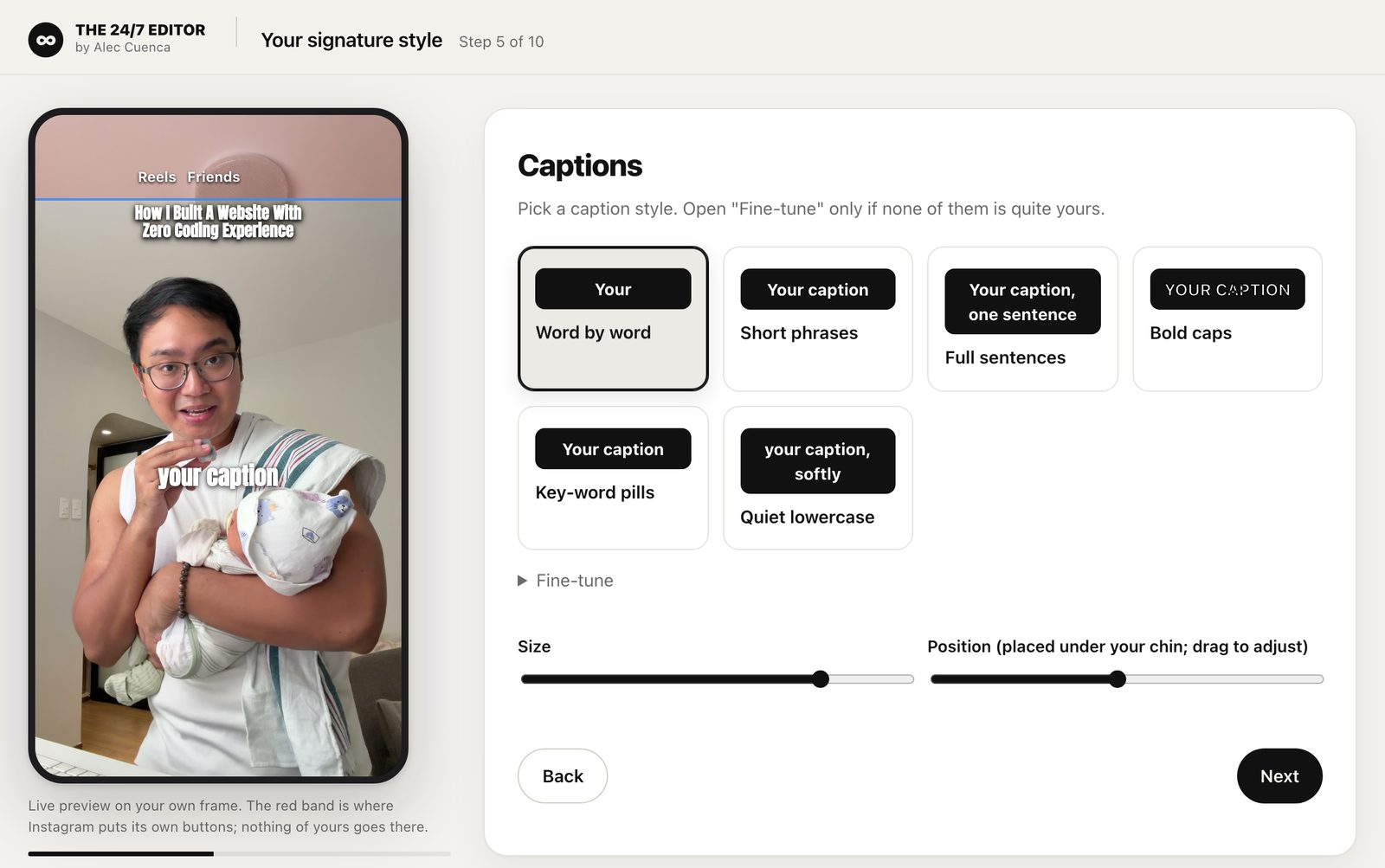
Watch the preview on your phone and tell it what to fix, in plain words, even Taglish. You also get an editable CapCut project with your cuts, captions, and sounds, so you always have the final say. Motion graphics and effects come in the finished MP4.
Not just talking heads
Reels, tips, stories, confessions. It cuts every breath and stumble, then adds your captions and your hook.
See it on InstagramUnboxings, builds, day-in-the-life. Jump cuts through the action, with captions only where you talk.
See it on InstagramQuick trend posts, like a line of text over your clip, timed to the sound. Motion graphics too, when you want them.
See it on InstagramVertical by default, for Reels, TikTok, and Shorts. Ask for a horizontal version for YouTube, and it gets its own framing and text placement, not just a crop.
Want something else? Describe it in plain words. Your editor has the tools for cuts, captions, motion graphics, sound effects, and B-roll, so a new format is a request, not a new app.
Proof it learns
These are actual notes I gave my editor while it cut my videos on October 7. Each one went into a file it reads before every edit, so I never have to say it twice.
“gusto ko mismong dulo ng word, next na agad, mas intense na j-cut”
Now a rule: every cut lands right where the word ends. No dead air.
“huminga ako... paki trim, do that always when you’re trimming”
Now a rule: every audible breath gets cut, on every video.
“di ko bet yung full frame na napatungan”
Now a rule: graphics go behind me on the wall, never over my face.
“NEVER EVER show that”
Now a rule: if I look down to read, it covers it with B-roll or uses another take.
“speed it up a little bit, or mas intense na jumpcuts”
Now a rule: where I talk slowly, it speeds up a touch or jump-cuts harder.
“save it sa instructions”
Now a rule: the hook text always sits below Instagram’s buttons.
Vid 2 went through 9 drafts. Every note I gave on the way is in that file now. Your editor starts empty and learns yours the same way.
What’s inside
Start here
Why some videos stop the scroll, and others don’t.
Module 1
Drag the kit into Claude. Type “Start”.
Module 2
Your captions, colors, hooks, and sound.
Module 3
Your notes become its rules.
Added during launch week
Other Ways To Edit
My 24/7 Content Strategy
Create Carousels + Stories Using AI
Honest fit check
Before you join
I use a Mac, and that’s where it’s tested.
It’s fastest on a Mac with an Apple chip (M1 or newer) on macOS 15 or newer. Older Macs work too, but the first setup takes longer, about 1 to 2 hours.
The kit is built to run on Windows too, but I haven’t tested the full setup on Windows yet.
After you join
No surprises. Here’s what happens, in order, including the parts that take some patience.
Within 24 hours
An email from my Circle community (it says “Alec Cuenca”), usually much sooner than 24 hours. The full course and the kit download are inside.
15 minutes to 2 hours
About 15 minutes on a Mac with an Apple chip on macOS 15 or newer. About 1 to 2 hours on an older Mac. On Windows, the full setup isn’t tested yet, so you may need my help in the Questions space.
One sitting
Ten quick screens on a frame from your own video: captions, colors, hook, and sound.
Your first videos
The first draft won’t be perfect. You watch it, give notes, and it cuts the next version. My Vid 2 took 9 drafts. Every note becomes a rule, so each video after that needs fewer rounds.
Once it knows you
For me, that’s about 30 minutes of my time per video now. Yours depends on your videos and how many notes you give.
Everything you get

Build Your Personal AI Video Editor
₱4,997₱7,499
First Access Price until Oct 24, 8 PM. Then ₱7,499.
GCash, QR Ph (scan with your bank or e-wallet app), a credit or debit card, or PayPal
Get THE 24/7 EDITORLifetime access, kit updates included
Your invite to my Circle community (it will say “Alec Cuenca”) arrives by email within 24 hours, usually much sooner. All sales are final. Doors close Saturday, October 31, 8 PM Manila time.
Doors open Wednesday, October 14, 8 PM Manila time.
Join the waitlistDoors closed on Saturday, October 31.
Before you buy: all sales are final, so check what you need and what to expect first. Not sure it will run on your computer? DM @aleccuenca_ on Instagram or email aleccuenca@gmail.com before you buy, and I’ll tell you honestly.
Who’s teaching
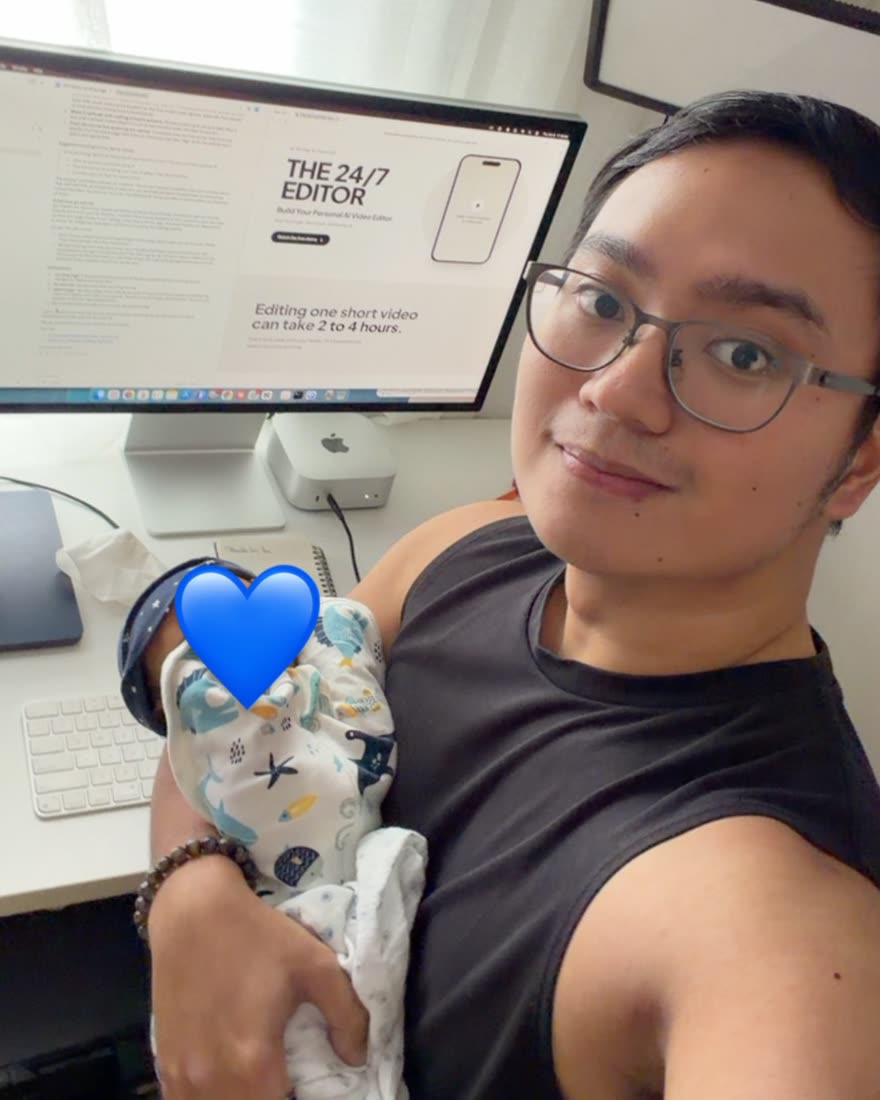
I’m not an editing guru. I’m just a first-time dad who wants to spend more time with my son.
Editing one short video used to take me 2 to 4 hours. So I taught AI to edit my videos. Now I record, tell my editor what I want, and get a finished, captioned video back. It takes about 30 minutes of my time per video, and the hours I save go to my family.
The reel that brought most of you here, the one with 1M views across platforms, was edited by AI. This course is the whole setup behind it, turned into something you can run yourself.
“AI made the first draft. My notes made it mine.”
A course that comes with your own AI editor, already set up for you. The editor does the editing. The course teaches you how to make it edit like you.
Unzip the kit, drag the folder into the Claude app, and type Start. Claude explains every step in plain words and installs what’s missing. On a Mac, you type your Mac password once when it asks (Claude never types it for you). On my Mac it took about 15 minutes, mostly downloads.
On older Macs it takes longer, about 1 to 2 hours. See “Mac or Windows?” below.
No. The demo shows you what’s possible in 10 minutes. This is the whole thing: the editor, the lessons, and the community.
No. It edits talking heads, vlogs with B-roll (unboxings, builds, day-in-the-life), and quick trend posts. Vertical for Reels, TikTok and Shorts, or horizontal for YouTube.
No. You just need to know what you like.
Yes. You teach it your style, and you approve every edit. Your words stay your words, Taglish included.
I use a Mac, and that’s where it’s tested.
It’s fastest on a Mac with an Apple chip (M1 or newer) running macOS 15 or newer. To check, click the Apple menu, then About This Mac.
On an older Mac (macOS 14 or below, or an Intel chip), it still works. The first setup just takes longer, about 1 to 2 hours, because a few extra tools get downloaded and built.
On Windows? The kit is built for it, but I haven’t tested the full setup there yet, and you may need my help in the Questions space. Since all sales are final, message me before you buy if you’re on Windows and unsure.
To start, yes. Editing uses a lot of your Claude usage, so on Pro a long editing session can hit the limit, and you wait for it to reset. If you edit every day, look at Max. Check today’s prices at claude.ai.
I record in English and Taglish, and that’s what it’s tested on. You can give your notes in Taglish too.
Your video files stay on your computer, and the transcription runs on your computer too. Claude reads the transcript and some still frames from your video to plan and check the edit, the same as anything you share in the Claude app.
No. You get the finished MP4 and the CapCut project, and you post them yourself.
Yes. You can edit videos for your clients with it. The kit itself is for you only, so please don’t share or resell it.
Within 24 hours of paying, usually much sooner. Your invite to my Circle community arrives by email, and the full course is unlocked the moment you’re in. The bonus lessons are added during launch week.
Lifetime. You keep the course and the 24/7 Editor space for as long as they run. The kit lives on your own computer, so it keeps working either way.
Yes. When I improve the kit, the new version goes up in the course. Drop it in your kit’s inbox folder and type “update me”. Your style, your notes, and your projects stay.
Type “help” in Claude first. It checks your computer and explains what’s wrong in plain words. Still stuck? Post in the Questions space in Circle with a screenshot. I answer within 48 hours.
GCash, QR Ph (scan with your bank or e-wallet app), a credit or debit card, or PayPal. Checkout runs on Shopify, with payments through PayMongo and PayPal.
Yes. Your Shopify order confirmation email is your receipt. Your order number starts with #.
No. All sales are final, because you get the full course and the kit the moment you join. So please read “What you need” and “What to expect” first. Not sure your computer will work? DM @aleccuenca_ on Instagram or email aleccuenca@gmail.com before you buy, and I’ll tell you honestly.
No. I’m just a dad who uses Claude every day. THE 24/7 EDITOR is an independent course, not affiliated with or endorsed by Anthropic.
Yes, and it’s great. Nate Herk made it, and it’s free and open source on GitHub. It’s the kit my free demo uses, and I credit him for it on purpose.
THE 24/7 EDITOR starts from Nate’s kit for the motion graphics. Everything that makes it your editor, I built on top of it: the one-word setup for Mac and Windows, your Signature Style, the “edit this” flow with drafts and notes that become rules, the editable CapCut project, captions and hooks in your style, vlog editing, and kit updates. None of that is in the free kit.
You’re also paying for the course that teaches you how to use it, and the private community where I answer your questions. If you’d rather start from the free kit and build the rest yourself, you absolutely can.
This teaches you to edit your videos with AI. It does not promise views, followers, or income. Anyone who promises you those is lying.
Doors close Saturday, October 31, 8 PM Manila time.
Doors open Wednesday, October 14, 8 PM Manila time.
Doors closed on Saturday, October 31.